Visual AI Data Processing & Agent Workflow System
Rust DAG Engine · Visual Workflow Orchestration · MCP Native Support · Multi-Channel Chat
ChengOS uses a Client-Server architecture with REST API and WebSocket streams, integrating visual orchestration, ReAct agents, tool sandboxes, and credential security isolation into one platform.
Native MCP Support
Built-in MCP client supporting Stdio, SSE, and HTTP transports for external services
Credential Security Isolation
Unified encrypted credential vault, zero LLM contact with secrets, prevents injection leaks
Multi-Format Skill Import
Natural language generation, URL import, Git repo parsing, and standard SKILL.md import
Local Document Workspace
Built-in Word/Excel visual canvas, no external platforms needed, data privacy secured
Client-Server Architecture
Clear module responsibilities, communicating via high-performance REST API and WebSocket streams
Backend Core
chengflow
Rust DAG Engine / REST & WS
chengflow-ui
Visual Management Console
chengflow-app
App & Chat Gateway
cheng CLI
Terminal Client
chengflow
Rust (Cargo workspace)Backend Core Service
High-performance DAG workflow engine, REST + WebSocket API, node & tool sandbox, credential vault isolation, multi-tenant RBAC, vector retrieval, and scheduling
chengflow-ui
React 18 + TS + ViteVisual Management Console
React Flow visual editor, MCP Hub configuration management, Skill package orchestration, local Word/Excel document canvas
chengflow-app
React 18 + TS + ViteApp & Chat Gateway
Multi-channel app binding (Telegram, WhatsApp, Slack, WeCom, DingTalk), embedded Web Widget, responsive H5/PWA chat interface for mobile/tablet
cheng CLI
Rust CLI BinaryTerminal Client
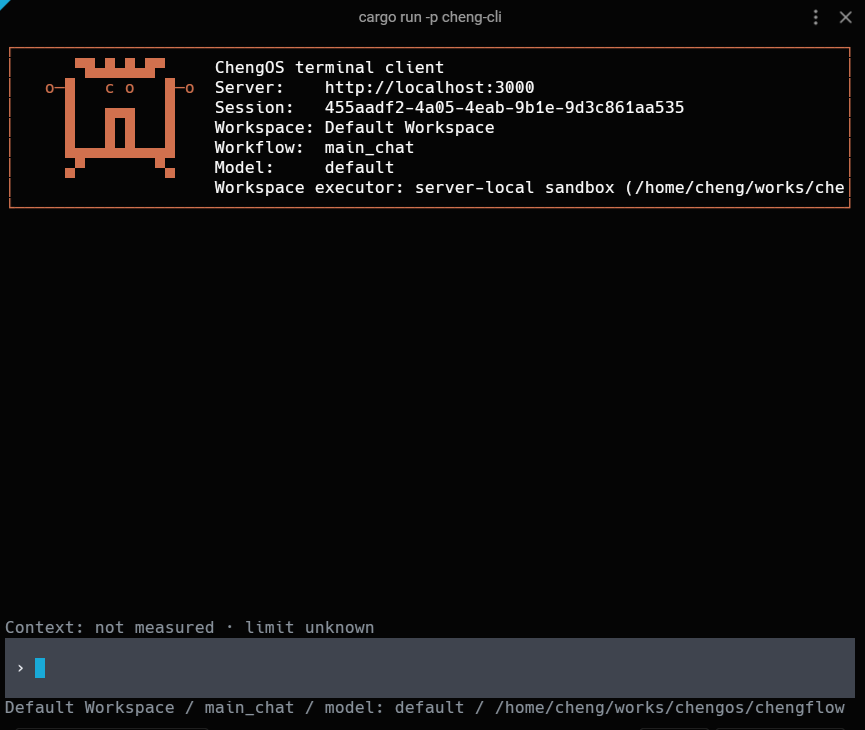
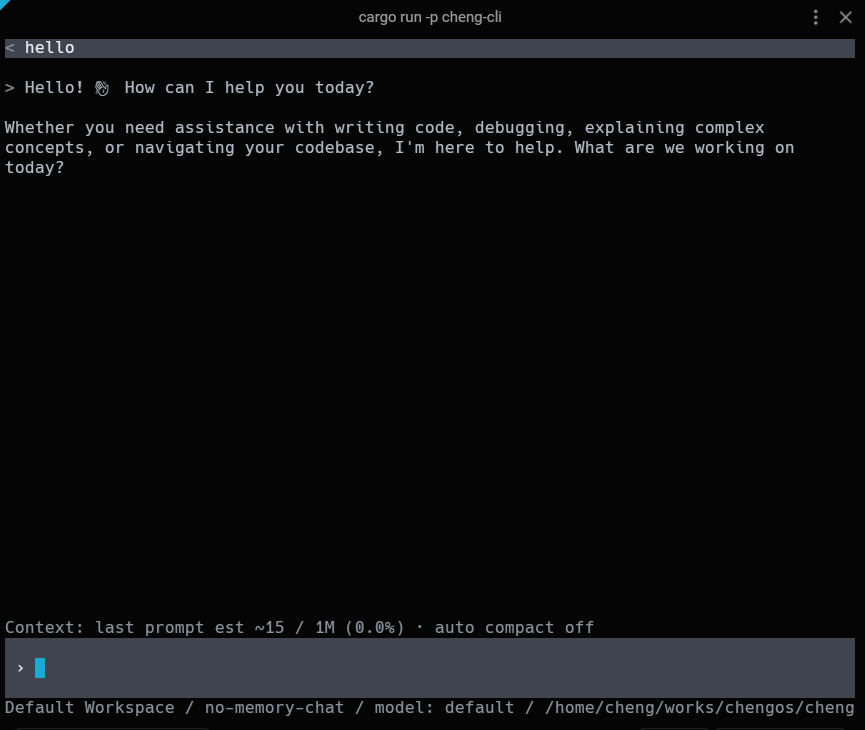
Local connection & cross-device URL remote execution, Claude Code / Codex style terminal chat and agent execution
Six Core Capabilities
From MCP protocol to credential security, from skill import to local documents — ChengOS provides enterprise-grade capabilities
Native MCP Support
Built-in MCP client & server integration, supporting Stdio, SSE, HTTP transports. ReAct Agents automatically discover and invoke external tools, prompts, and resources.
Architecture Diagram
Multi-Format Skill Import
Natural language generation, HTTP/Web URL import, Git repository parsing, and standard SKILL.md package import with security validation and hot-reload pipeline.
Credential Management & Security
All sensitive credentials encrypted in the backend Credential Vault. LLMs have zero access to raw secrets. Combined with sandboxing and multi-tenancy for compliance.
Local Document & Spreadsheet
Built-in Word (.docx) and Excel (.xlsx) visual canvas. No need for Feishu/Google Sheets. Integrated with workflow nodes for AI-driven document processing.
CLI Terminal & Cross-Device
Local connection and cross-device URL remote execution. Claude Code / Codex style terminal experience with streaming responses and tool execution display.
Multiple Chat Entry Points
Web UI embedded chat, App desktop/mobile H5/PWA chat, and CLI real-time terminal chat — three entry points covering all scenarios.
Try ChengOS Now
Experience the visual workflow editor and chat applications directly in your browser.
Shared demo account for both services
demo@chengrouter.comdemo123456See It In Action
From visual workflow editing to terminal agents — explore the full ChengOS experience.
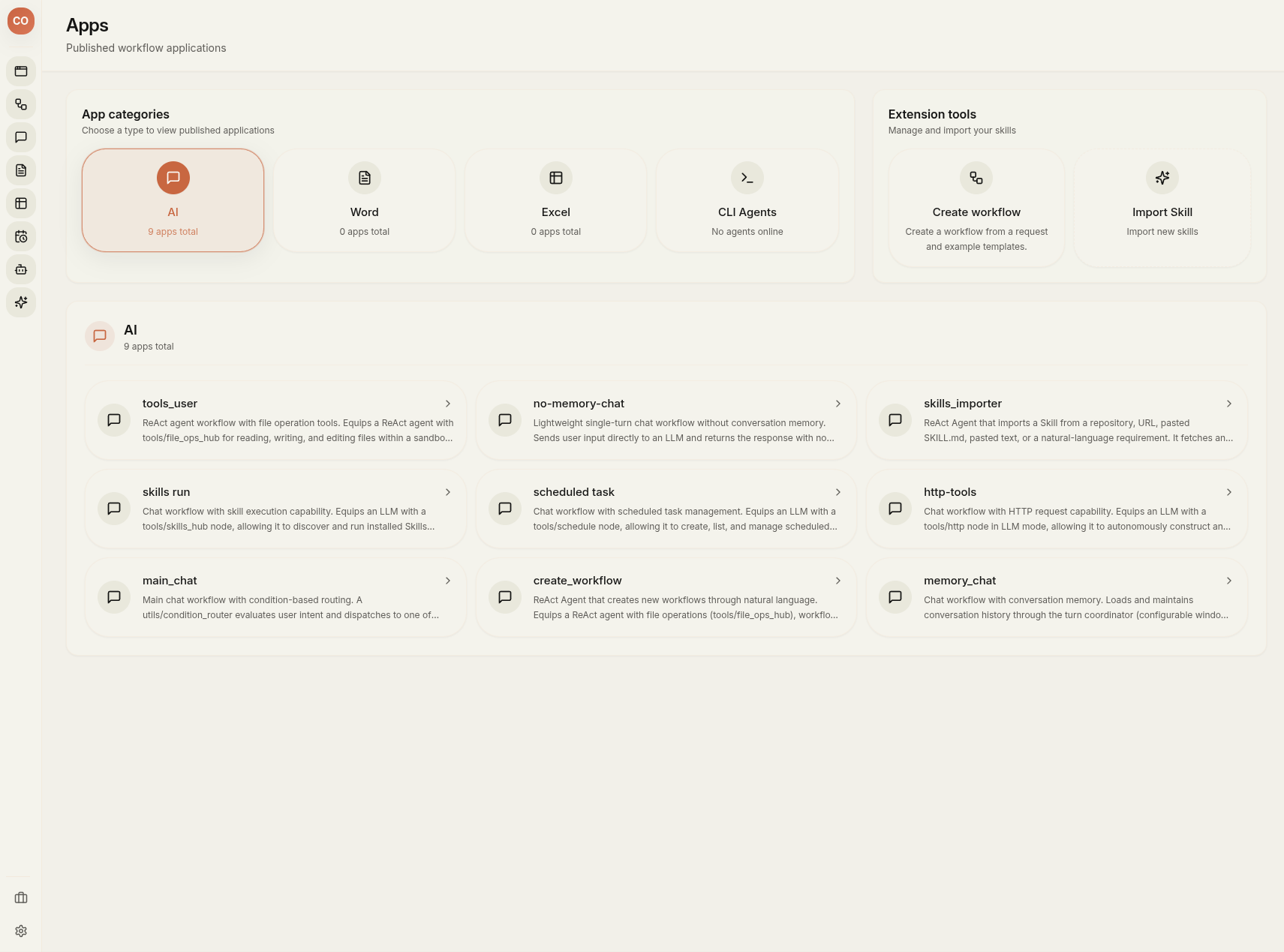
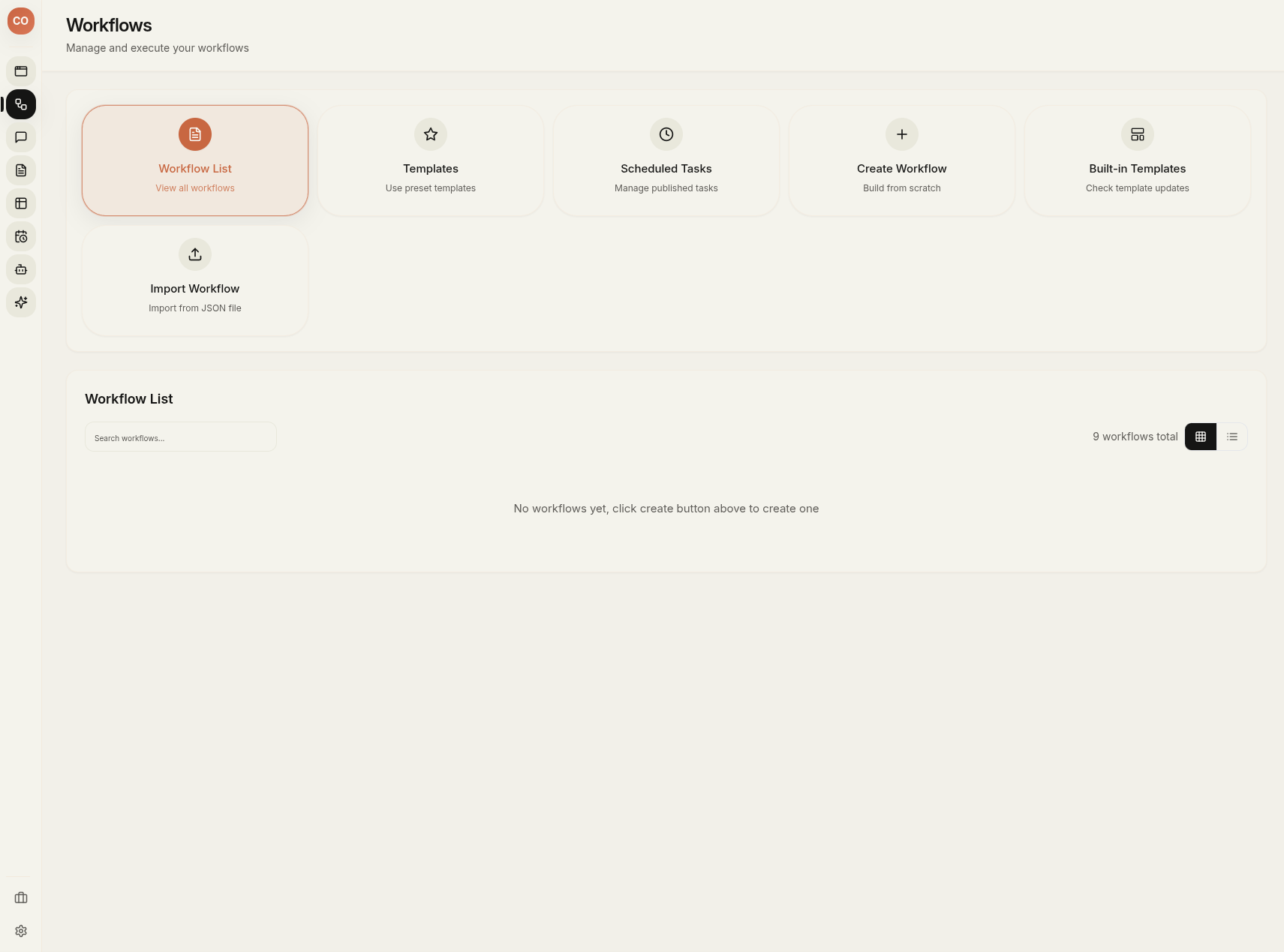
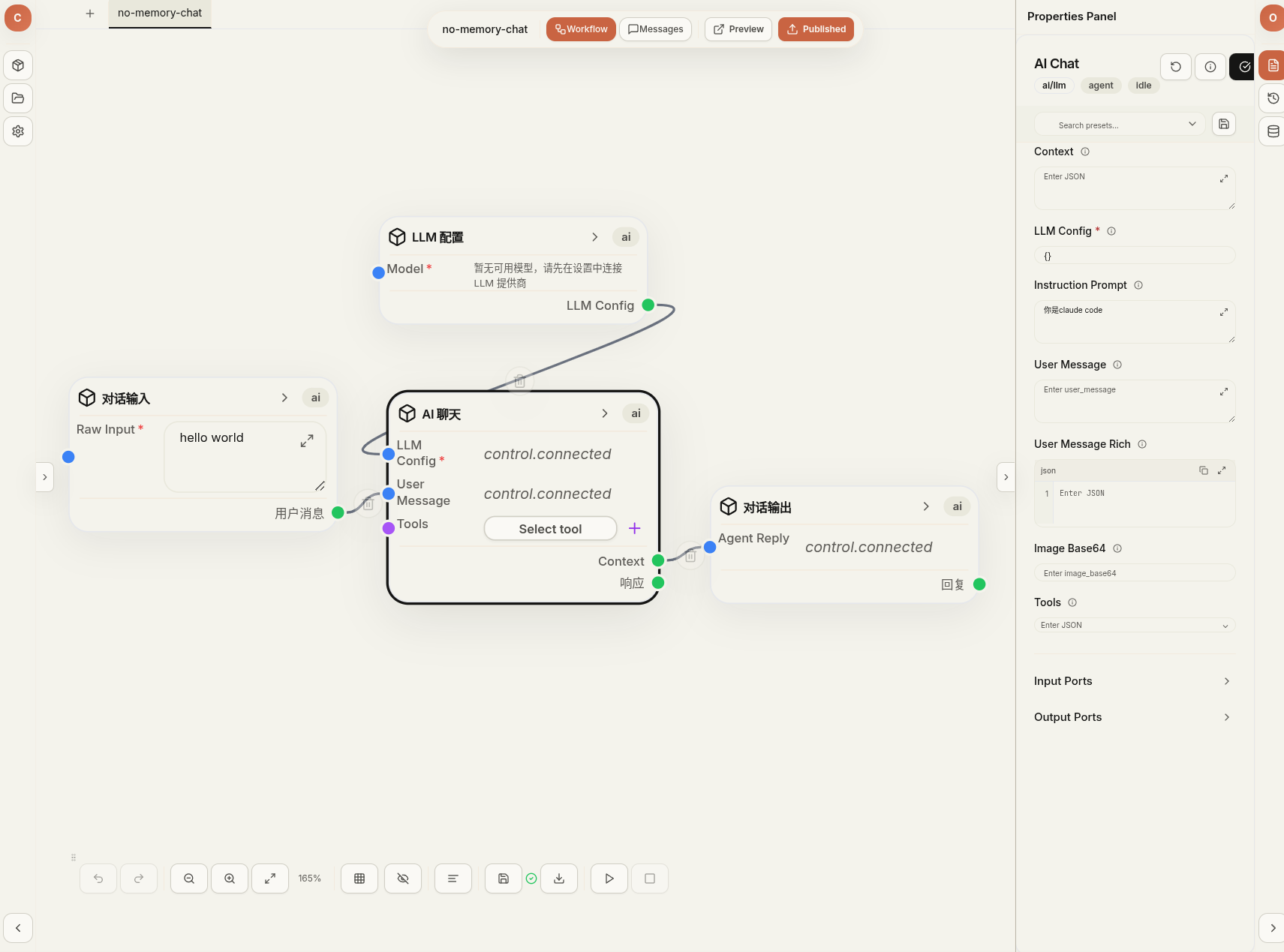
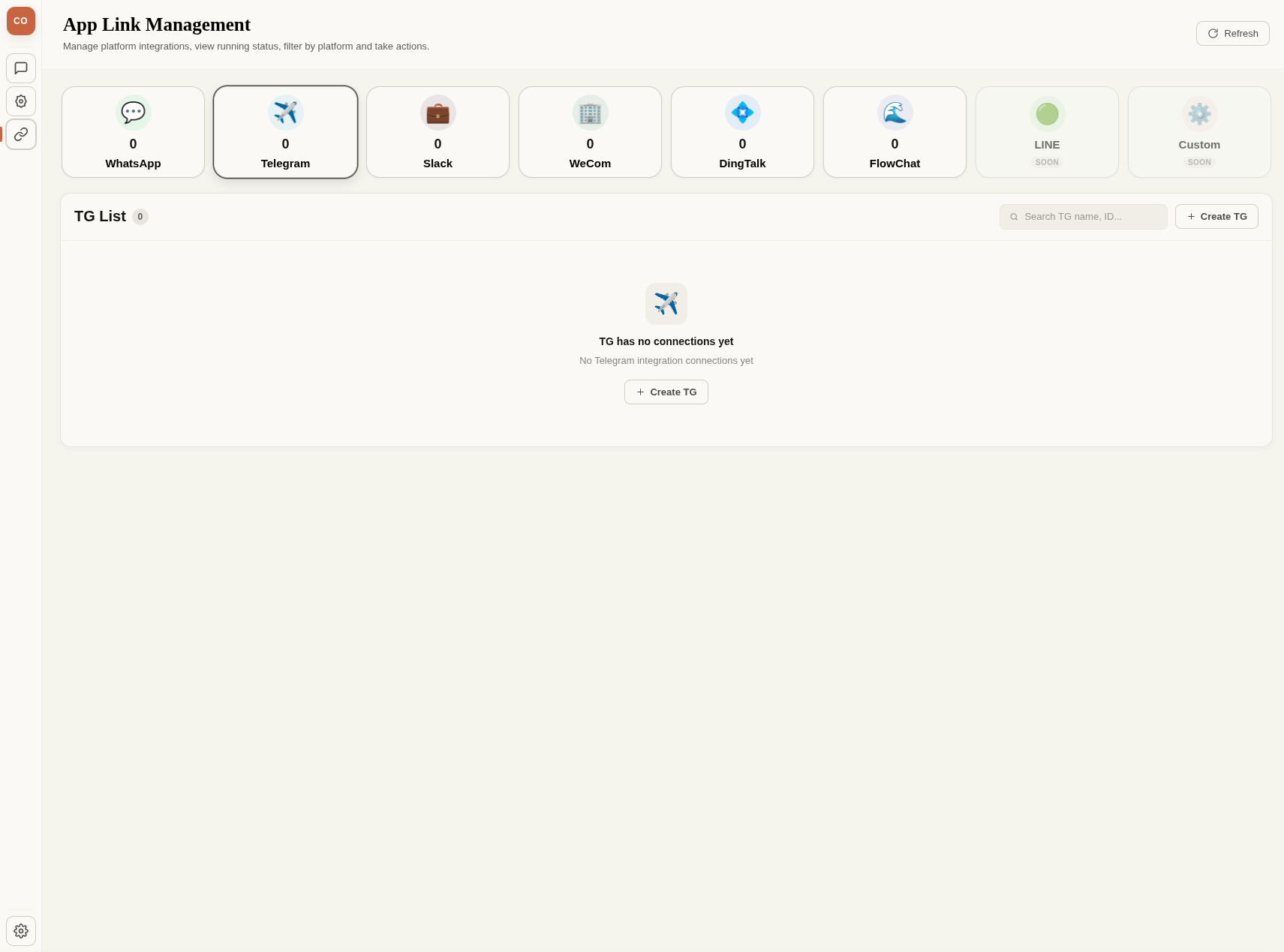
60+ Built-in Node Tools
A rich tool library covering code execution, file management, web scraping, AI multimodal, documents, tables, and system orchestration
Code & Shell Sandbox
code_shell sandboxed Bash execution, code_python for data analysis & scientific computing, code_js for lightweight logic & JSON transforms
File System & Workspace
Read/write/edit/patch/diff/copy/move/delete/backup/rollback/search/validate — a complete file management toolkit
Network & External Integration
HTTP API client, headless browser automation, web search, email send/receive, SSH remote execution, Git repository fetch
AI Inference & Multimodal
LLM invocation, intelligent conditional routing, ReAct agent, image/audio/video generation, ASR, OCR, translation, video processing
Document, Table & RAG
Smart document assembly & block updates, spreadsheet CRUD, RAG knowledge base chunking/vector indexing/context retrieval
System & Orchestration
Cron scheduling, MCP service extension, Skills package execution, sub-workflow nesting, human approval, schema inspection
Multi-Channel Chat
Web UI embedded chat, Telegram, WhatsApp, Slack, WeCom, DingTalk IM integration, H5/PWA responsive interface, CLI terminal
Security & Credential Management
Credential Vault encrypted storage, zero LLM credential contact, sandbox isolation, multi-tenant user_id data isolation
Typical Workflow Diagrams
Document Q&A Flow
Email Assistant Flow
Knowledge Base Search Flow
Installation
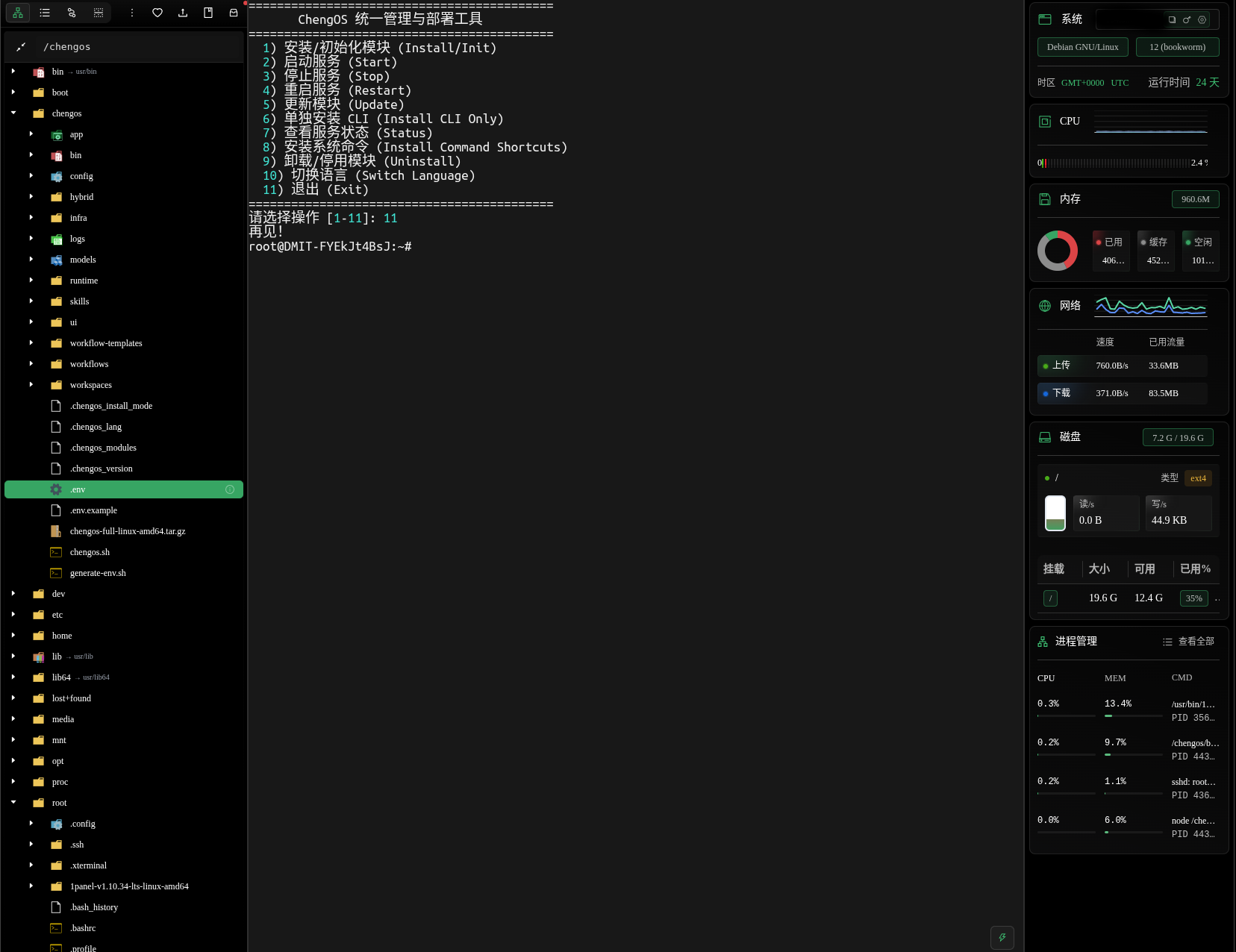
Supports native binary deployment and Docker containerized deployment — no complex setup needed
Containerized deployment with database, cache, and app all bundled — ready out of the box
curl -fsSL https://chengos.dev/chengos.sh | bash- Automatic container lifecycle management
- One-click start/stop for all services
- Supports incremental updates
One Command to Get Going
Rust High-Performance Engine
Rust Cargo workspace backend core, providing DAG workflow execution, REST + WebSocket API, node sandbox, and scheduler
Multi-Platform Support
Runs on Linux, macOS, and Windows. Deploy locally or in the cloud.
9 AI Model Providers
OpenAI, Claude, Gemini, DeepSeek, Ollama, and more — choose your favorite.
Free to Use
Free for personal and commercial use. Enterprise edition with advanced features coming soon.
Default Port Mapping
| Default Port Mapping | Port |
|---|---|
API Backend (cheng-api) Core API & WebSocket server | 3000 |
Main UI (cheng-ui) Web visual editor & admin console | 8080 |
Chat App (cheng-app) Chat app widget & mobile H5 | 5055 |
PostgreSQL Primary relational database | 5432 |
Valkey (Redis compatible) Cache & rate limiter | 6379 |
Qdrant Vector DB RAG vector database | 6333 |